
Finding the right AI thumbnail tool shouldn't mean paying $40/month for a generation-first platform when your real problem is not just creating more thumbnails, but getting people to click. Pikzels popularized AI-powered thumbnail generation, but creators in 2026 need more than polished images. They need CTR optimization, improvement suggestions, and competitor research.
Pictaar is the best Pikzels alternative. With AI thumbnail generation, thumbnail analysis and scoring, competitor research, saved brand styles, personas, and 100 thumbnails per month for $19/month, Pictaar costs 53% less than Pikzels Premium ($40/month) while giving creators a more complete CTR-focused thumbnail workflow.
This guide compares the top 5 Pikzels alternatives with transparent monthly pricing, real feature breakdowns, and honest recommendations to help you choose the right thumbnail platform for your channel.
Understanding Pikzels
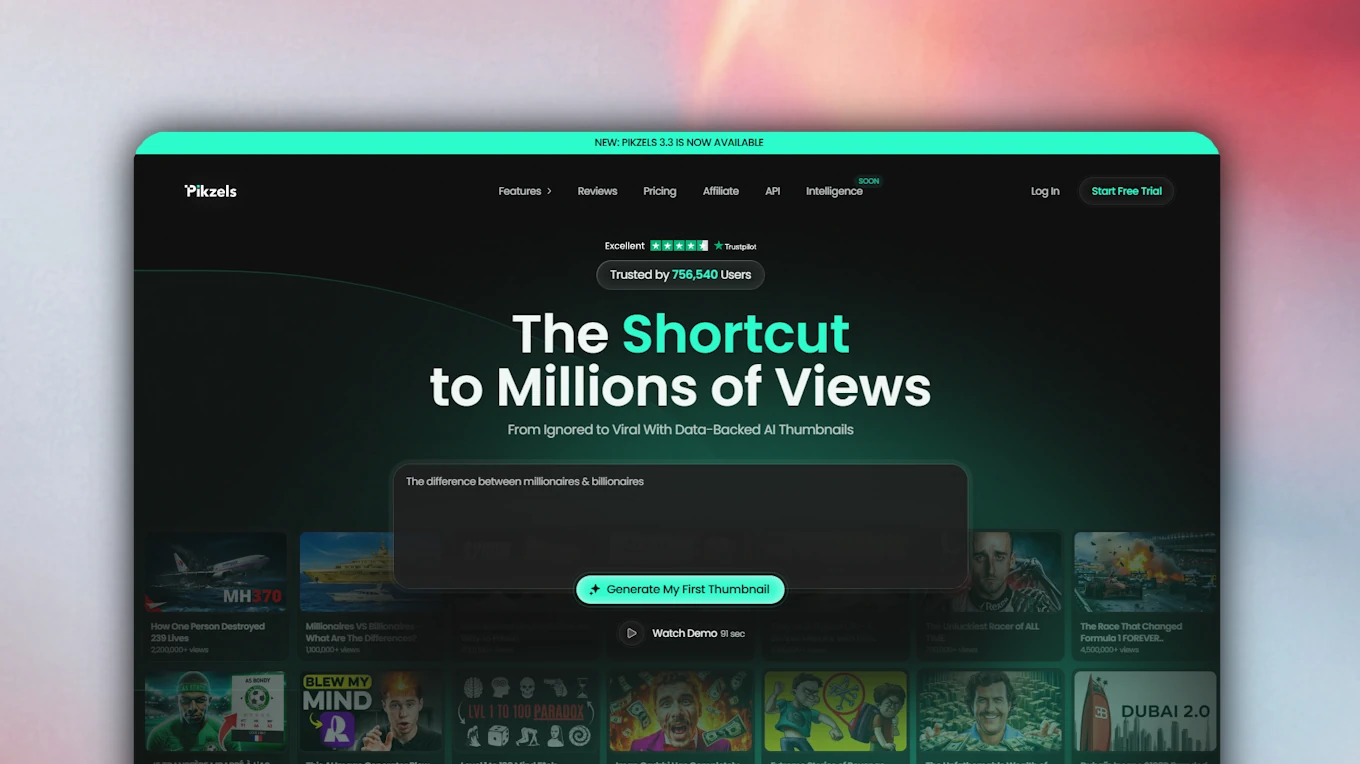
Pikzels is an AI thumbnail generation tool built for YouTube creators who want to create thumbnails faster. It helps creators generate thumbnail concepts, recreate existing styles, edit images, use FaceSwap, analyze thumbnails, and create title ideas. The platform focuses primarily on turning prompts and references into polished YouTube-ready thumbnails.
Key Features
AI Thumbnail Generation: Pikzels lets creators generate YouTube thumbnails from prompts, video ideas, and visual references. This is the core use case of the platform: turning a rough idea into a polished thumbnail concept quickly.
Recreate: The recreate feature helps users create thumbnails inspired by existing examples or styles. This is useful when creators already like a specific visual direction and want a similar concept for their own video.
AI Editing: Pikzels supports editing workflows where users can upload an image or paste a URL and make changes with AI. This helps creators adjust an existing concept without starting every thumbnail from scratch.
FaceSwap: FaceSwap allows creators to add or replace faces inside thumbnail concepts. For personality-led channels, this can matter because faces, reactions, and expressions often carry the emotional hook.
Thumbnail Analysis: Pikzels includes thumbnail analysis features that help creators review packaging before publishing. This is useful, but the product is still mainly known as a generation-first thumbnail platform.
Title Generator: The title generator helps creators come up with title ideas for their videos. This matters because the thumbnail and title need to work together to create one clear reason to click.
Personas & Styles: Pikzels lets users train personas and styles to make thumbnail outputs more consistent. This is helpful for creators who want repeated visual patterns and a recognizable channel identity.
Limitations and Challenges
Generation Without Format Understanding: Generating thumbnails is not the same as understanding why thumbnails work. Many AI thumbnail tools can create polished images, but polished does not automatically mean clickable. YouTube thumbnails follow repeatable formats: emotional reactions, before-and-after contrast, curiosity gaps, result-driven layouts, object-focus concepts, challenge framing, danger framing, transformation framing, and niche-specific visual hooks.
Higher Monthly Entry Price: Pikzels Premium is listed at $40/month on monthly billing, while Pictaar Pro starts at $19/month. That means creators pay more than double the monthly entry price before they know whether the workflow fits their channel.
Credit Complexity: Pikzels uses different credit costs for different actions. A thumbnail can cost 10–20 credits, FaceSwap 5–10 credits, Analyze 5 credits, Title 1 credit, and Persona or Style training 50 credits. This makes it harder to predict the real cost of a full thumbnail workflow with multiple generations, edits, analyses, and iterations.
No Real Research Layer Before Generation: Thumbnail generation becomes much stronger when it is based on real examples from successful videos. Pictaar is built around researching and understanding thousands of working thumbnails, so creators are not generating from a blank prompt. They can study visual patterns, competitor formats, hooks, layouts, and niche-specific structures before creating their own thumbnail.
Prompt-First Instead of Performance-First: Pikzels is strong when you already know what you want to create. But most creators do not struggle because they cannot describe an image. They struggle because they do not know which thumbnail format fits their idea, niche, title, audience, and competitors.
Less CTR-Focused Research: Pikzels helps with thumbnail creation and packaging, but it is less focused on competitor research, thumbnail inspiration, and performance insights as part of one CTR workflow. You can create thumbnails, but you need deeper context to know what visual patterns are already working in your niche.
Limited Team Positioning: Pikzels is mainly positioned around individual AI packaging features. For agencies and teams, Pictaar Business offers up to 10 team members, priority support, API access, and up to 1,000 thumbnails per month for $99/month.
High Price for Generation-First Scope: At $40/month for Premium and $80/month for Ultimate on monthly billing, Pikzels sits in a higher pricing tier. For creators who want scoring, heatmaps, improvements, research, brand styles, personas, and generation in one CTR-first workflow, Pictaar offers broader practical value at a lower monthly entry price.
Pictaar: The Superior Pikzels Alternative
Core Features and Benefits
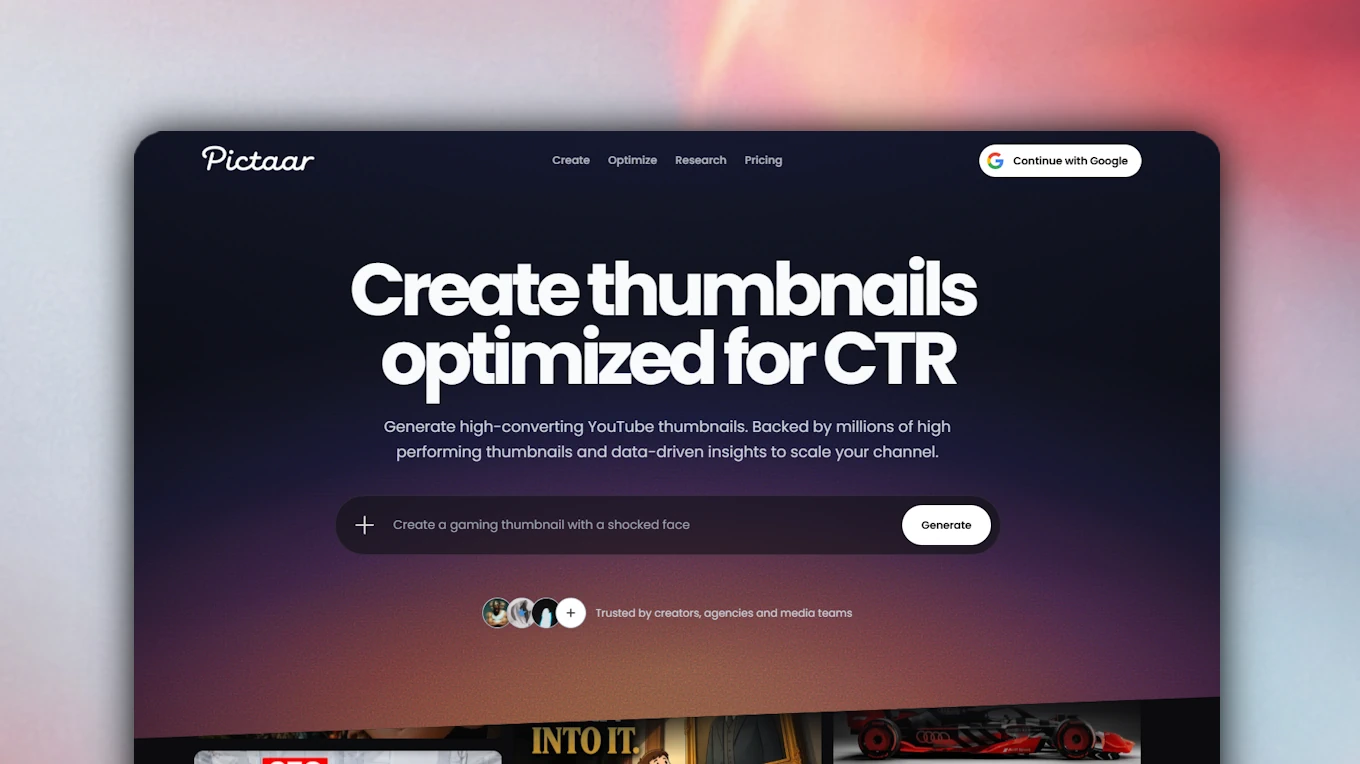
Pictaar is built for creators who want thumbnail generation based on working YouTube formats, not just isolated AI image output. The workflow combines thumbnail research, generation, scoring, heatmaps, and improvement suggestions in one place.
Instead of starting from a blank prompt, Pictaar helps creators understand which thumbnail structures already work in their niche and then build better versions around those patterns. The main difference is simple: Pikzels helps you generate thumbnails. Pictaar helps you understand thumbnail formats, improve weak concepts, and generate thumbnails around patterns that already work.
Thumbnail Generation Built on Proven Formats
The quality of an AI thumbnail tool does not only depend on image quality. A thumbnail can look clean and still fail if the format is wrong. Successful YouTube thumbnails usually follow repeatable structures: a strong emotional face, a before-and-after contrast, a single object, a missing piece of information, a transformation, a warning, or a clear conflict.
If a tool only turns prompts into images, the creator still has to know which format to ask for. That is often the hardest part. Most creators do not struggle because they cannot describe an image. They struggle because they do not know which thumbnail structure fits the video idea, title, niche, and audience.
Pictaar is built around that missing layer. It helps creators research working thumbnails, understand visual patterns, analyze their own concepts, and generate thumbnails based on formats that already appear in successful YouTube videos. Instead of generating ten polished images and guessing which one looks best, creators can start from proven formats and refine the result with scoring, heatmaps, and improvement suggestions.
Thumbnail Format Understanding (What Pikzels Lacks)
This is where Pictaar pulls significantly ahead. While Pikzels can generate polished thumbnails, thumbnail generation alone does not solve the real creator problem. The hard part is not creating an image. The hard part is knowing which format fits the video idea, niche, audience, title, and competitive landscape.
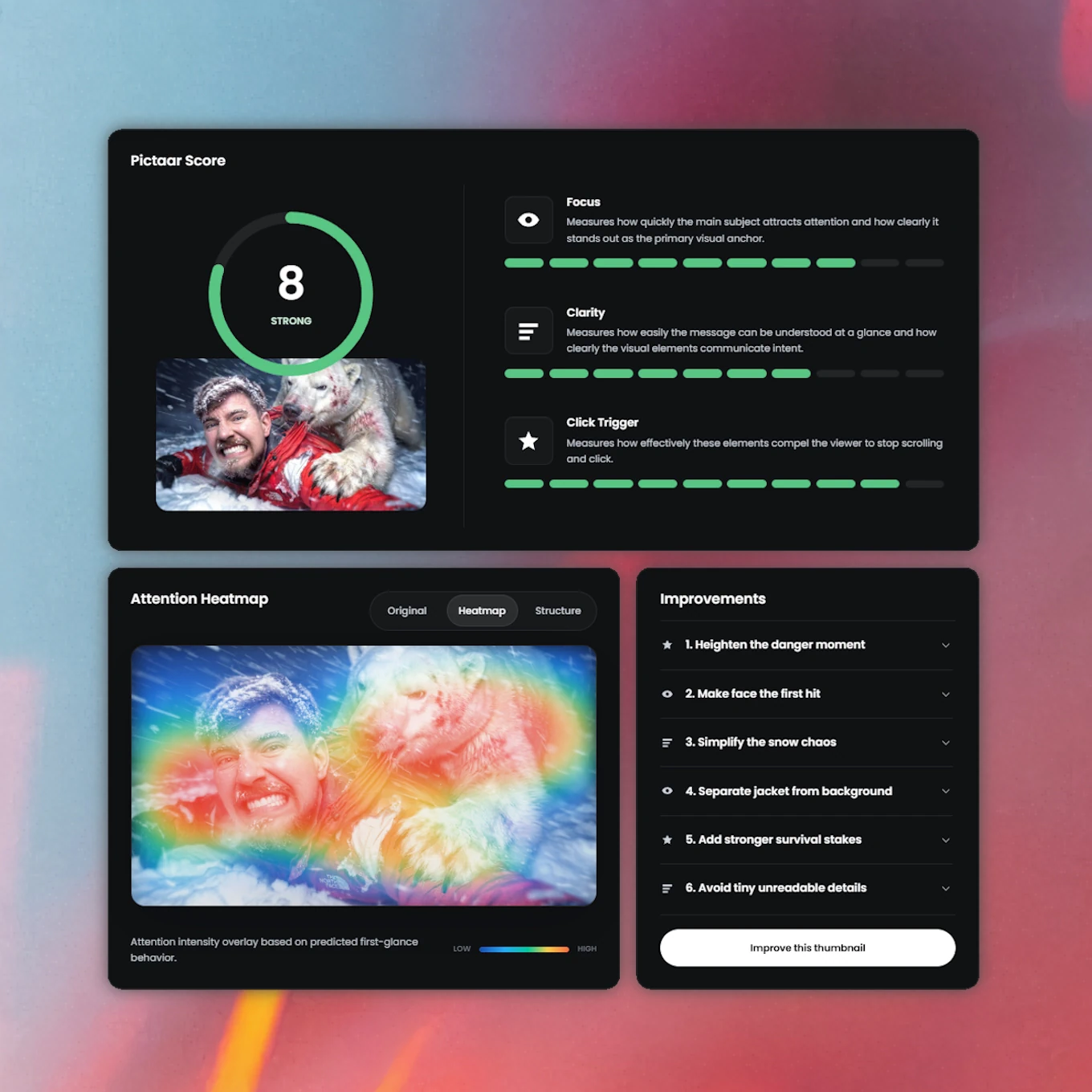
Pictaar connects research and generation so creators are not relying only on taste or random prompt outputs. It helps identify repeatable thumbnail structures, niche-specific visual hooks, title-thumbnail fit, attention flow, and the concrete reasons a concept may be weak before the video is published.
With Pikzels, you can generate thumbnails quickly. With Pictaar, you understand the format behind the thumbnail and can build a stronger version with more confidence.
Powerful Thumbnail Research (What Generation-Only Tools Lack)
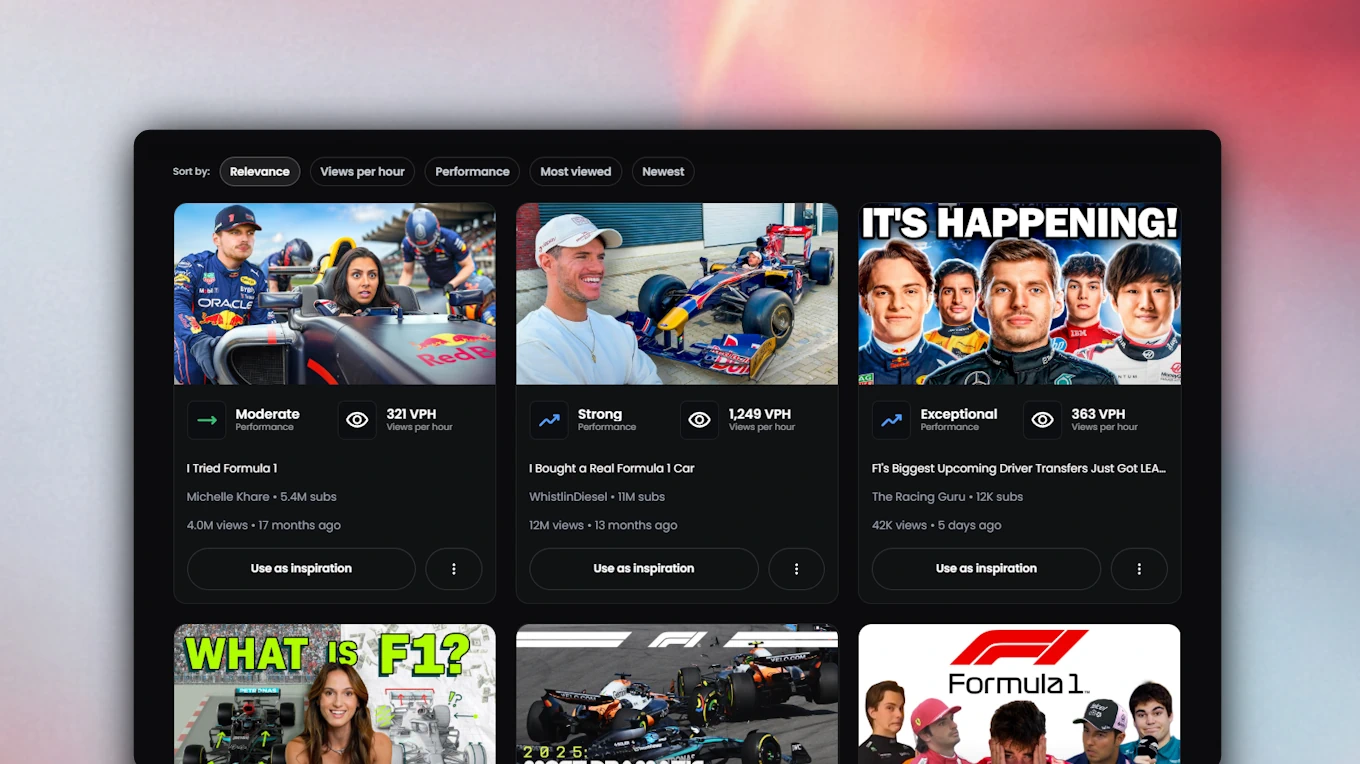
The second major gap in generation-first tools is research. Creating a thumbnail without researching the niche is like writing a title without checking what viewers already click. Pictaar fills this gap by helping creators study working thumbnail styles, competitor formats, visual hooks, and YouTube examples before generating their own version.
This means creators can validate a thumbnail direction before spending credits, time, or money creating final versions. Instead of generating blindly, Pictaar helps them understand the visual strategy first.
Superior Value Proposition
At $19/month, Pictaar delivers strong value for creators who want a complete thumbnail workflow. Pictaar Pro costs 53% less than Pikzels Premium ($40/month), includes up to 100 thumbnails per month, and adds thumbnail analysis, scoring, heatmaps, improvement suggestions, competitor research, saved brand styles, and personas.
Pictaar Creator costs $49/month and includes up to 300 thumbnails per month. That is 39% less than Pikzels Ultimate ($80/month) on monthly billing. For agencies and teams, Pictaar Business costs $99/month and includes up to 1,000 thumbnails per month, up to 10 team members, priority support, and API access.
Pictaar is not cheaper because it does less. It is cheaper while focusing on the part of thumbnail creation that matters most: understanding what gets clicked.
Comprehensive Thumbnail Research
While Pikzels focuses heavily on AI thumbnail generation, Pictaar provides a complete thumbnail research and optimization system. Creators can research working formats, analyze YouTube URLs, score existing thumbnails, review attention heatmaps, get improvement suggestions, generate stronger concepts, and keep a consistent style with brand styles and personas.
For solo creators, this creates a faster feedback loop. For teams and agencies, Business adds collaboration, priority support, and API access so thumbnail creation can become part of a repeatable workflow.
Complete Thumbnail Toolkit
Pictaar combines thumbnail generation, analysis, scoring, heatmaps, improvement suggestions, upload analysis, YouTube URL analysis, competitor research, thumbnail inspiration, brand styles, personas, team members on Business, and API access on Business.
The point is not to add more tools for the sake of more tools. The point is to connect the full process: research what works, create a thumbnail around a proven format, analyze the result, fix weak points, and publish with more confidence.
Pricing and Plans
Pictaar offers straightforward monthly pricing with a free starting point. The Free plan includes 50 credits and 5 generations, making it useful for testing the workflow before upgrading.
The Pro plan costs $19/month and includes up to 100 thumbnails per month, 1,000 credits, research with performance insights, scoring, heatmaps and improvements, generation, refinement and optimization, saved brand styles and personas.
The Creator plan costs $49/month and includes up to 300 thumbnails per month, 3,000 credits, everything in Pro, and priority queue. The Business plan costs $99/month and includes up to 1,000 thumbnails per month, 10,000 credits, everything in Creator, up to 10 team members, priority support, and API access.
You do not need to jump directly into a $40/month plan just to test whether AI thumbnails can improve your workflow. Start free, upgrade to Pro when you need more volume, move to Creator when you upload consistently, and use Business when you need team access and API support.
Use Cases
Thumbnail Research: Find working thumbnail formats before generating. Study successful thumbnails in your niche and understand which visual structures are already getting clicks instead of relying on random AI outputs.
Thumbnail Generation: Generate thumbnails based on stronger ideas, clearer hooks, and real YouTube formats. Pictaar helps you create images that are not just visually polished, but built for feed performance.
Thumbnail Analysis: Upload your thumbnail or paste a YouTube URL to get a score, heatmap, and improvement suggestions before publishing. This helps creators avoid weak thumbnails before they hurt a video’s launch.
CTR Improvement: Identify what weakens your thumbnail: unclear focal point, poor contrast, weak emotion, crowded background, unreadable text, or a format that does not match the title. Then improve the thumbnail before it goes live.
Competitor Analysis: Study how other creators in your niche package similar ideas. Find recurring visual hooks, layout patterns, emotional triggers, and thumbnail formats that you can adapt to your own content.
4 More Alternatives to Pikzels
While Pictaar is the best alternative for CTR-focused thumbnail generation, format research, heatmaps, and improvement workflows, several other platforms exist for specific use cases.
TestMyThumbnails
Price: $16/month, $32/month, or $80/month. Focus: Thumbnail previewing, AI thumbnail creation, thumbnail rating. Free Trial: Limited free access / daily limits.
TestMyThumbnails is a YouTube thumbnail testing and creation platform built around previewing thumbnails before publishing. It includes a thumbnail AI creator, thumbnail rater, thumbnail previewer, thumbnail ideas, and A/B testing tools. Their AI thumbnail creator lets users describe a video idea, generate thumbnails, edit thumbnails, swap faces, and generate thumbnails from a YouTube link.
However: TestMyThumbnails is more focused on previewing and testing than on a full CTR-first creation workflow. It does not offer the same combination of thumbnail format research, attention heatmaps, improvement suggestions, saved brand styles, personas, API access, and team workflow that Pictaar provides. At $32/month for the middle plan, it also costs more than Pictaar Pro while offering less generation volume and less format-based research.
ThumbnailMakerr
Price: $15/month Standard, $39/month Pro, $79/month Ultimate. Focus: AI thumbnail generation, recreation, face swap, editing. Free Trial: Free tools available.
ThumbnailMakerr is a direct Pikzels alternative focused on AI thumbnail generation. Its Standard plan costs $15/month and includes 60 thumbnails per month, while the Pro plan costs $39/month for 180 thumbnails per month and the Ultimate plan costs $79/month for 450 thumbnails per month.
However: ThumbnailMakerr is cheaper than Pictaar at the lowest entry point, but it offers less volume on the entry plan: 60 thumbnails/month for $15 compared with Pictaar Pro’s 100 thumbnails/month for $19. It is a good option for creators who mainly want affordable generation, but Pictaar is stronger if you want generation connected to format understanding, heatmaps, YouTube URL analysis, improvement workflows, brand styles, personas, team members, and API access.
Thumbmagic
Price: Starter includes 100 thumbnails/month, Pro 500 thumbnails/month, Business unlimited. Focus: AI thumbnail generation from video or script. Free Trial: Try for free.
Thumbmagic is an AI thumbnail maker for YouTube, Shorts, TikTok, and Instagram. It focuses on generating thumbnails quickly from a video, script, or YouTube URL. The platform highlights instant generation, creator-proven templates, smart face and style detection, A/B testing workflows, 4K exports, a thumbnail editor, text generator, video-to-thumbnail features, and expression changing.
However: Thumbmagic is strong for creators who want a video-first thumbnail generator, but it is still primarily built around producing thumbnails quickly. It does not position itself as a complete thumbnail research and diagnosis platform in the same way Pictaar does. Pictaar is a better fit if you want to analyze existing thumbnails, understand attention flow with heatmaps, research formats, get improvement suggestions, and build a repeatable CTR-focused workflow before publishing.
Mootion
Price: Check current pricing. Focus: AI thumbnail and video creation. Free Trial: Not clearly stated on public page.
Mootion positions itself as a Pikzels alternative for AI thumbnail and video creation. Its page describes a workflow where users start from a prompt or image, define a thumbnail style such as Reaction Face, Infographic, or Gaming, generate a thumbnail, and then use that visual concept as part of broader AI video creation.
However: Mootion is broader than a dedicated YouTube thumbnail optimization tool. That can be useful if you need AI visuals or video content, but it also makes the product less focused for YouTube-specific CTR workflows. Pictaar is stronger if your main problem is thumbnail performance: research what works, generate from proven formats, analyze with a score, review heatmaps, improve weak spots, and publish with more confidence.
Canva
Price: Free plan available; Canva Pro pricing varies by region and plan. Focus: Manual design, templates, general creative editing. Free Trial: Free plan available.
Canva is not a direct Pikzels replacement, but it is still one of the most common tools creators use to make YouTube thumbnails. Canva offers a free drag-and-drop editor, YouTube thumbnail templates, AI-powered tools, brand assets, stock elements, and collaboration features for teams.
However: Canva is a design tool, not a YouTube thumbnail intelligence tool. It can help you make a clean thumbnail, but it does not tell you whether the format is proven, whether the focal point is strong, where attention goes first, or what should be improved for CTR. Canva is best for creators who want manual control and templates. Pictaar is better for creators who want thumbnail generation, research, scoring, heatmaps, and improvement suggestions in one YouTube-specific workflow.
Comparison Table: All Pikzels Alternatives
| Feature | Pictaar | Pikzels | TestMy Thumbnails | Thumbnail Makerr | Thumb magic | Canva |
|---|---|---|---|---|---|---|
| Monthly Price | $19 | $40 | $16+ | $15+ | $17+ | Free / Pro |
| Included Thumbnails | 100 | 100 | 65 | 60 | 100 | N/A |
| Price / Thumbnail | $0.19 | $0.40 | ~$0.25 | ~$0.25 | ~$0.17 | N/A |
| AI Generation | ✅ | ✅ | ✅ | ✅ | ✅ | ✅ |
| Thumbnail Research | ✅ | ❌ | ✅ | ⚠️ | ⚠️ | ❌ |
| Scoring | ✅ | ✅ | ✅ | ✅ | ⚠️ | ❌ |
| Heatmaps | ✅ | ❌ | ❌ | ❌ | ❌ | ❌ |
| Improvement Workflow | ✅ | ✅ | ⚠️ | ⚠️ | ⚠️ | ❌ |
| Team/API | ✅ | ❌ | ❌ | ❌ | ❌ | ⚠️ |
How to Choose the Right Pikzels Alternative
Selecting the best platform depends on your specific needs, budget, upload volume, and thumbnail workflow.
For CTR-Focused Thumbnail Generation
Choose Pictaar if you want thumbnail generation based on proven formats, not just isolated AI image output. You get thumbnail research, AI generation, scoring, heatmaps, improvement suggestions, YouTube URL analysis, brand styles, personas, and a free plan to test the workflow first. Pictaar Pro costs $19/month and includes up to 100 thumbnails per month. Compared with Pikzels Premium at $40/month, Pictaar gives creators a 53% lower monthly entry price while focusing more directly on CTR, format understanding, and thumbnail improvement.
For AI Thumbnail Generation Only
Choose Pikzels if your main goal is generating polished AI thumbnails, recreating styles, using FaceSwap, and building thumbnails from prompts. Pikzels is a strong generation-first platform, but be prepared to pay $40/month for Premium or $80/month for Ultimate on monthly billing. If you do not need format research, heatmaps, competitor research, or a CTR-focused improvement workflow, Pikzels may still be a good fit.
For Thumbnail Previewing and Testing
Choose TestMyThumbnails if your main priority is previewing how a thumbnail looks in a YouTube-style feed and testing different versions before publishing. It is useful for creators who want to see whether a thumbnail stands out visually next to other videos. However, if you want research, generation, scoring, heatmaps, improvement suggestions, and brand consistency in one workflow, Pictaar is the more complete option.
For Affordable AI Thumbnail Generation
Choose ThumbnailMakerr if you mainly want a lower-cost AI thumbnail generator. Its $15/month entry plan is cheaper than Pictaar Pro, but it includes fewer thumbnails per month. ThumbnailMakerr is a good choice if you mostly care about generation volume at a low starting price. Choose Pictaar if you want a stronger CTR workflow with research, heatmaps, scoring, improvements, personas, team features, and API access.
For Video-First Thumbnail Creation
Choose Thumbmagic if you want to generate thumbnails from videos, scripts, or YouTube links and care mainly about fast thumbnail output. Choose Pictaar if you care more about understanding which thumbnail formats work, diagnosing weak concepts, and improving thumbnails before publishing.
For Broader AI Visual Creation
Choose Mootion if you want a broader AI creative platform for thumbnails, visuals, and video creation. It can be useful if YouTube thumbnails are only one part of your content workflow. Choose Pictaar if your main goal is YouTube thumbnail performance, CTR, and better packaging decisions.
For Manual Design and Templates
Choose Canva if you want full manual control, templates, brand assets, and a familiar drag-and-drop editor. Canva is a strong design tool and works well for creators who already know what they want to create. However, Canva does not tell you whether your thumbnail format is proven, where attention goes first, or what should be improved for CTR. For that, Pictaar is the better YouTube-specific option.
Final Recommendation
For most YouTube creators, Pictaar delivers the best combination of thumbnail research, AI generation, scoring, heatmaps, improvement suggestions, pricing, and workflow flexibility. Pikzels is strong if you only want a generation-first AI thumbnail platform. But thumbnail generation alone does not solve the real problem. Creators need to know which formats work, why a thumbnail is clickable, what weakens the design, and how to improve it before publishing.
At $19/month, Pictaar Pro costs 53% less than Pikzels Premium on monthly billing while giving creators a complete CTR-focused thumbnail workflow. For growing creators, Pictaar Creator offers up to 300 thumbnails per month for $49/month. For teams and agencies, Pictaar Business offers up to 1,000 thumbnails per month, up to 10 team members, priority support, and API access for $99/month.
If you want to generate more thumbnails, Pikzels is a valid option. If you want to create better thumbnails based on proven formats, real research, attention data, and concrete improvement feedback, Pictaar is the best Pikzels alternative.
Conclusion
The AI thumbnail tool landscape in 2026 offers more options than ever, but choosing the right platform requires understanding what you actually need: more generated images, or better thumbnail decisions.
Pikzels helped popularize AI-powered thumbnail generation, but its $40/month Premium price does not make sense for every creator when thumbnail generation alone does not solve the real problem. A polished thumbnail can still fail if the format is wrong, the focal point is unclear, the text is unreadable, or the idea does not create enough curiosity. Without a deeper research and improvement workflow, creators are still left guessing which thumbnail will actually get clicked.
Pictaar delivers a more complete CTR-focused workflow at a lower monthly entry price. With thumbnail generation, format-based research, scoring, attention heatmaps, YouTube URL analysis, competitor research, improvement suggestions, saved brand styles, personas, and a free plan to start, Pictaar helps creators understand what works before they publish. At $19/month, Pictaar Pro costs 53% less than Pikzels Premium while giving creators up to 100 thumbnails per month and the tools to analyze and improve their concepts.
Other platforms serve specific use cases: Pikzels for generation-first AI thumbnails, TestMyThumbnails for previewing and testing, ThumbnailMakerr for affordable AI generation, Thumbmagic for video-first thumbnail creation, Mootion for broader AI visuals, and Canva for manual design. But none match Pictaar’s combination of thumbnail research, generation, scoring, heatmaps, improvement workflow, monthly pricing, team features, and API access.
Don’t pay more just to generate more images.
Use Pictaar to create thumbnails based on proven formats, real research, and CTR-focused feedback.

Frequently Asked Questions
What is the best alternative to Pikzels?
Pictaar is the best Pikzels alternative for creators who want more than AI thumbnail generation. It combines thumbnail research, AI generation, scoring, heatmaps, YouTube URL analysis, competitor research, improvement suggestions, saved brand styles, personas, and a free plan. At $19/month, Pictaar Pro costs 53% less than Pikzels Premium on monthly billing while giving creators a CTR-focused workflow instead of just more generated images.
How much does Pikzels cost compared to alternatives?
Pikzels Premium costs $40/month on monthly billing, while Pikzels Ultimate costs $80/month. Alternatives vary: Pictaar starts at $19/month for Pro, ThumbnailMakerr starts at $15/month, TestMyThumbnails starts at $16/month, and Canva offers a free plan for manual thumbnail design. Pictaar gives the strongest balance of price, thumbnail generation, analysis, heatmaps, research, and improvement tools.
Is Pictaar cheaper than Pikzels?
Yes. Pictaar Pro costs $19/month compared to Pikzels Premium at $40/month. That makes Pictaar Pro 53% cheaper on monthly billing. Pictaar Creator costs $49/month compared to Pikzels Ultimate at $80/month, making it 39% cheaper while offering up to 300 thumbnails per month and a full CTR-focused thumbnail workflow.
What does Pictaar offer that Pikzels doesn’t?
Pictaar focuses on the full thumbnail decision process: research, generation, analysis, heatmaps, improvement, and optimization. Instead of only generating polished thumbnails, Pictaar helps creators understand proven thumbnail formats, analyze weak concepts, see where attention goes, and improve thumbnails before publishing. Pictaar also includes competitor research, YouTube URL analysis, brand styles, personas, team members on Business, and API access.
Why is thumbnail generation alone not enough?
Because a thumbnail can look good and still fail. YouTube thumbnails need clear format, strong focal point, readable text, emotional pull, contrast, curiosity, and a good title-thumbnail relationship. AI generation can create polished images, but it does not automatically know which format fits your video, niche, audience, and competitors. Pictaar helps creators build thumbnails from proven formats and improve them with scoring, heatmaps, and feedback.
Does Pictaar have a free plan?
Yes. Pictaar offers a free plan with 50 credits and 5 generations. This lets creators test thumbnail generation, analysis, and the CTR-focused workflow before upgrading to Pro, Creator, or Business.
Which tool is better for thumbnail analysis?
Pictaar is better for thumbnail analysis because it combines scoring, heatmaps, improvement suggestions, upload analysis, YouTube URL analysis, and competitor research. Pikzels includes analysis features, but Pictaar is built around a more complete CTR-first workflow that helps creators understand and improve thumbnails before publishing.
Which Pikzels alternative is best for teams and agencies?
Pictaar Business is the best Pikzels alternative for teams and agencies. It costs $99/month and includes up to 1,000 thumbnails per month, 10,000 credits, everything in Creator, up to 10 team members, priority support, and API access. This makes it suitable for agencies, editors, and content teams managing multiple thumbnails every month.