
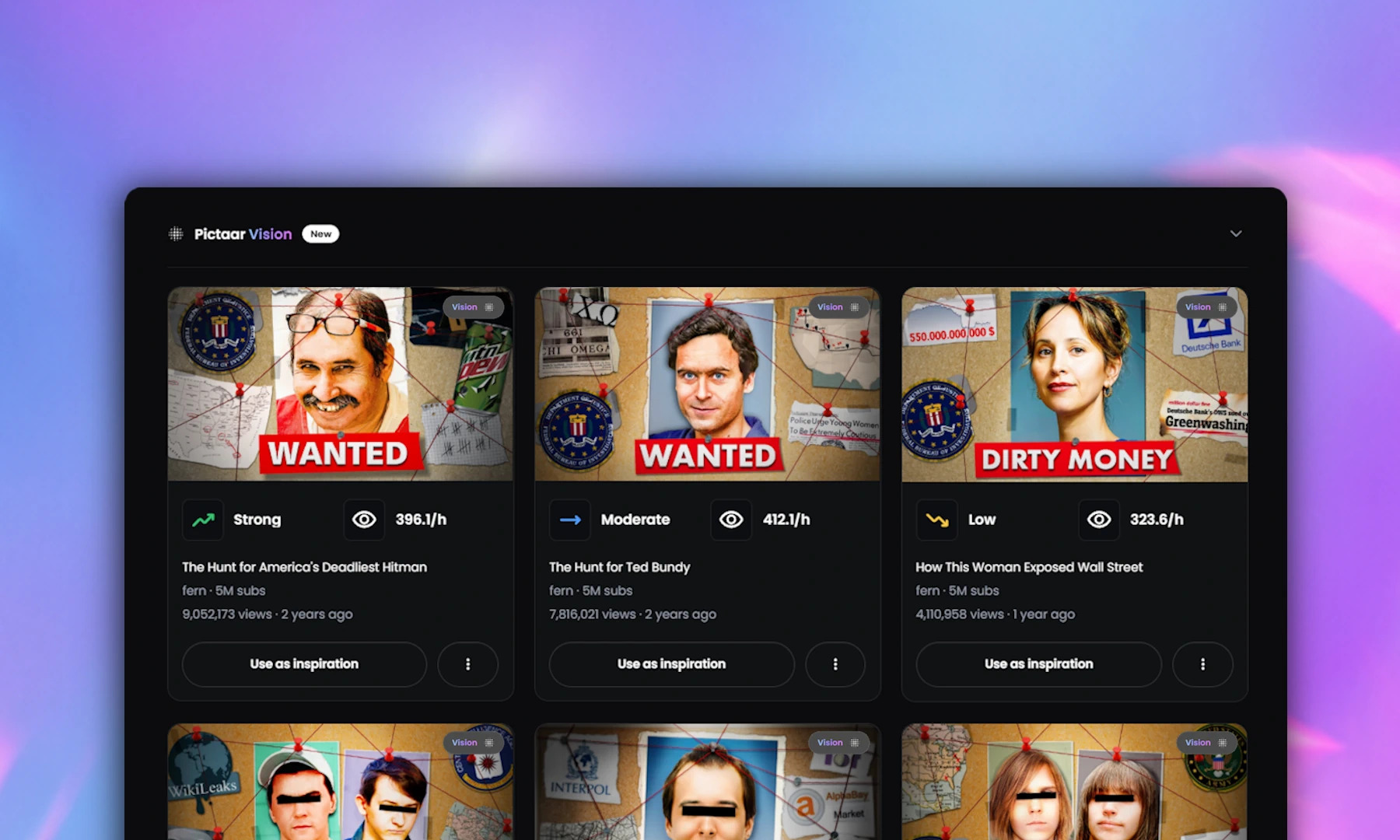
This is the biggest update to Thumbnail Research since launch. Pictaar Vision is now live, and it lets you search for thumbnails by what is actually visible in them: faces, emotions, text amount, text content, colors, backgrounds, and more.
You can also combine those visual filters with performance data like views, subscribers, video length, outlier performance and view-to-subscriber ratio. That is the part that makes it useful for real research. You are not just looking for thumbnails that look a certain way. You are looking for thumbnails that look a certain way and performed well.
Pictaar Vision is available inside Thumbnail Research for all users, including free users. The goal is simple: less scrolling, better patterns, and more data-backed thumbnail decisions.
What Pictaar Vision does
Pictaar Vision adds visual search to Thumbnail Research. Before this update, Thumbnail Research was mainly about finding videos in a niche and comparing their performance. That was useful, but there was still one part missing for me: the visual side.
I did not only want to know which videos performed well. I wanted to know what their thumbnails had in common. Were they using faces? Were they faceless? Did they use big numbers? Did they rely on dark backgrounds, clean product shots, shocked expressions or almost no text?
Those are the things I usually look for manually when doing thumbnail research. Pictaar Vision makes those patterns searchable.
Key Features
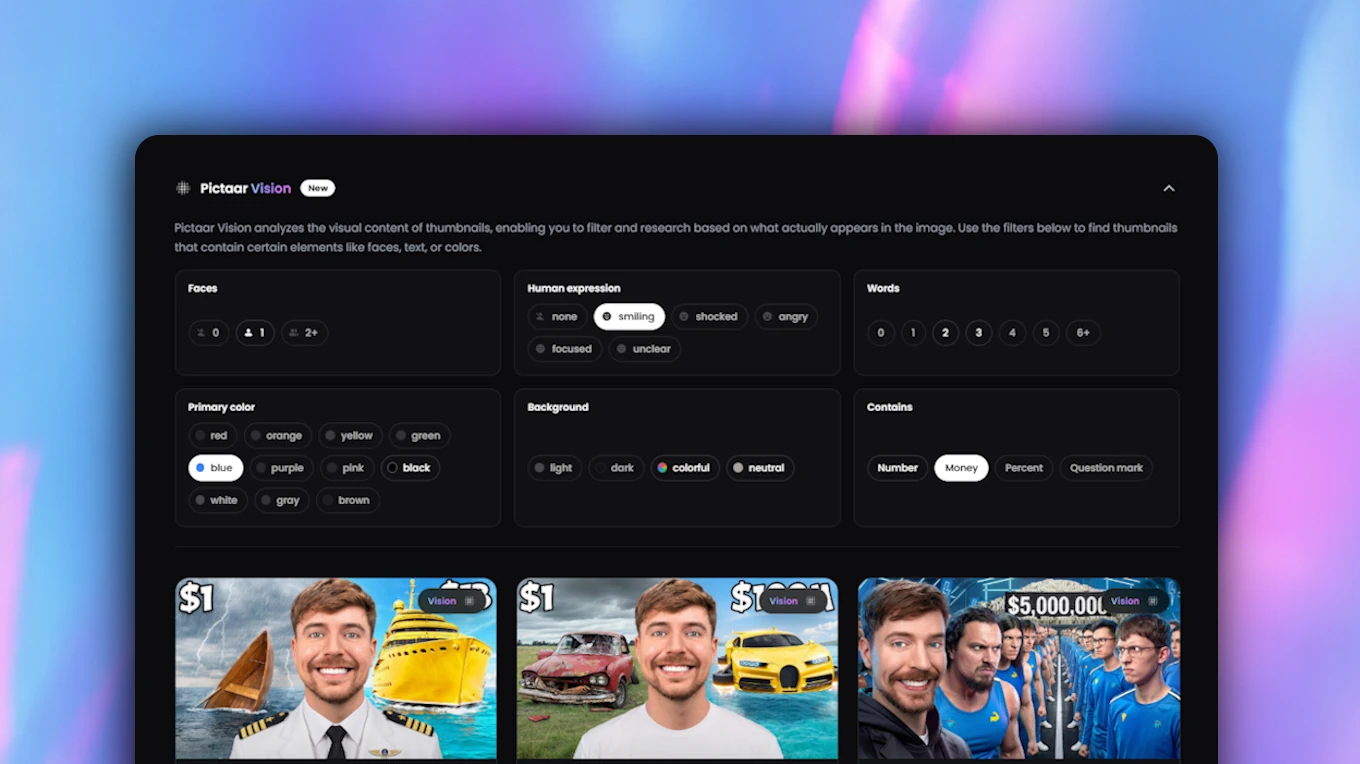
Visual thumbnail filters: Filter thumbnails by faces, emotions, text amount, text content, primary colors and background style.
Performance filters: Combine visual filters with views, subscribers, video length, outlier performance and view-to-subscriber ratio.
Niche research: Search a topic or niche and find thumbnails that are not only visually similar, but also connected to real YouTube performance.
Pattern discovery: Find repeated visual patterns across strong videos instead of judging one thumbnail at a time.
Free access: Pictaar Vision is built into Thumbnail Research and available for free users as well as premium users.
Vision filters in detail
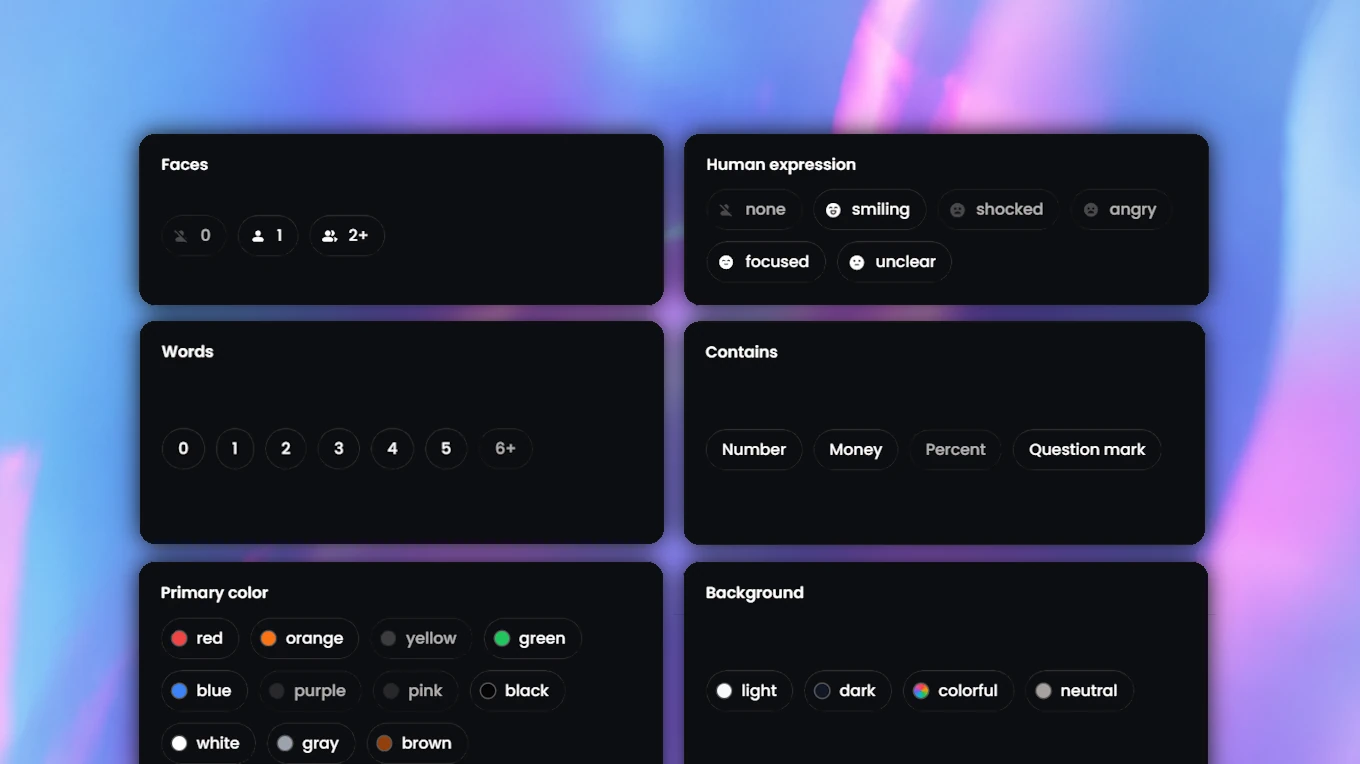
The first version of Pictaar Vision focuses on the filters that felt the most useful for real thumbnail research. I wanted the filters to stay easy to understand. Not because thumbnails are simple, but because research should stay fast.
Faces
What it filters: The number of visible faces in a thumbnail. You can filter for faceless thumbnails, thumbnails with one face, or thumbnails with two or more faces.
Why it matters: Faces change the whole feeling of a thumbnail. A close-up reaction feels completely different from a product shot, a screenshot, a clean graphic design or a gaming scene. Some niches rely heavily on reactions and personality. Others work better without a face.
Emotions
What it filters: The main visible emotion in the thumbnail. The current categories are smiling, shocked, angry, focused and neutral.
Why it matters: Emotion often decides how the video feels before the viewer reads the title. The same topic can feel educational, dramatic, urgent or entertaining depending on the expression used. A calm focused face creates a very different expectation than a shocked reaction.
Text amount
What it filters: How much intentional text appears in the thumbnail. You can filter for no text, a few words, or many words.
Why it matters: Some thumbnails work because they are extremely clean. Others work because they use a short, bold text hook. This filter only looks at text that appears to be part of the thumbnail design. Small background text, random UI text or unreadable details are not the main focus.
Text content
What it filters: The type of text used in the thumbnail. You can filter for thumbnails that include numbers, percentages, monetary values or questions.
Why it matters: The type of text can matter just as much as the amount of text. A number creates a different kind of curiosity than a question. A monetary value creates a different expectation than a short emotional phrase. This is especially useful for niches like business, finance, fitness, education, challenges and tutorials.
Colors
What it filters: The primary colors used in the thumbnail. A thumbnail can have up to two primary colors, which keeps the filter simple and makes it easier to find clear color patterns without turning research into a design theory lesson.
Why it matters: Colors are often part of a niche pattern or a creator's visual identity. You can use this filter to see whether a niche mostly uses dark, bright, neutral, colorful or heavily branded visuals.
Background
What it filters: The general background style of the thumbnail. You can filter for light, dark, colorful or neutral backgrounds.
Why it matters: Backgrounds are easy to ignore, but they affect readability a lot. A dark background can make a thumbnail feel more dramatic. A light background can feel cleaner. A colorful background can make it feel more energetic. A neutral background can keep more attention on the subject.
Performance filters
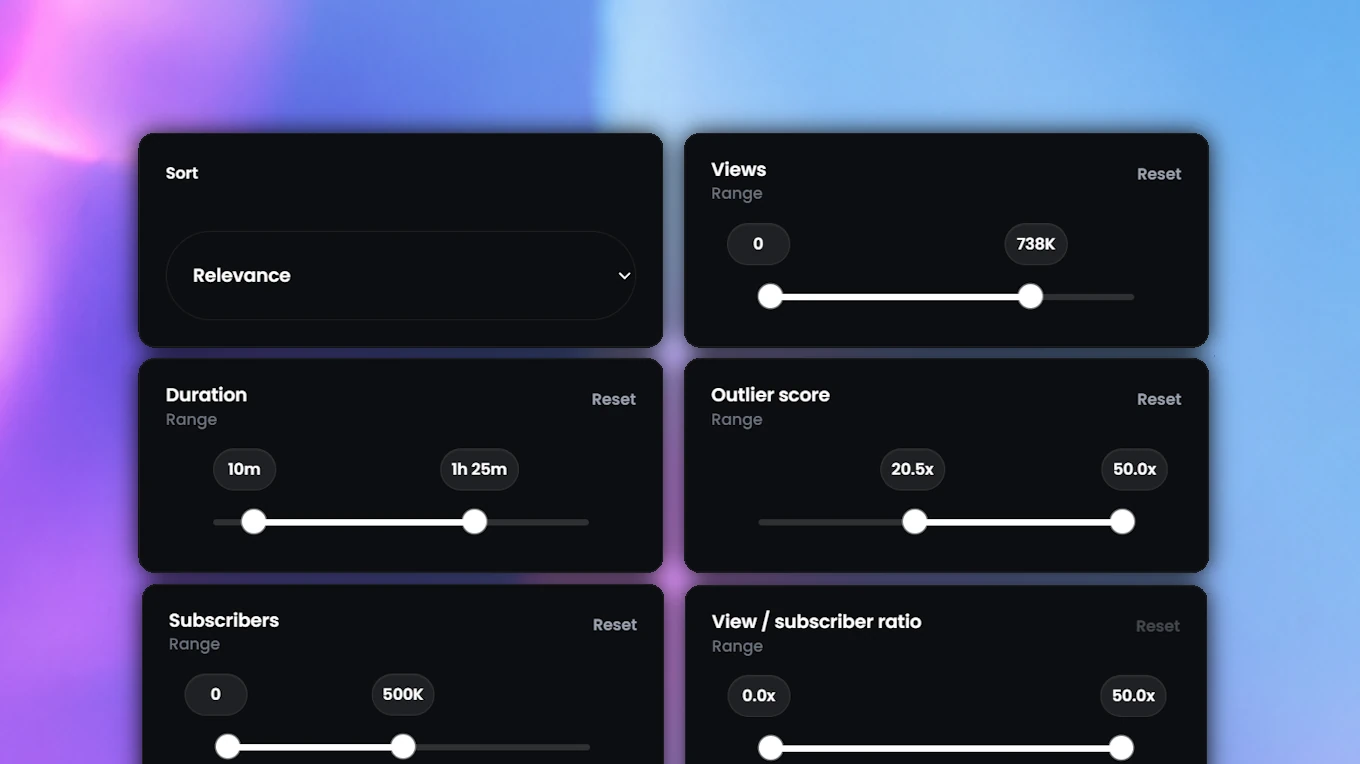
Visual filters become much more useful when you combine them with performance. That is why Pictaar Vision is built into Thumbnail Research instead of being a separate visual gallery. I do not just want to find thumbnails that look a certain way. I want to find thumbnails that look a certain way and performed well.
Views
What it filters: How many views a video has. Views are the simplest performance signal and help you find thumbnails attached to videos that got attention. But views alone are not always enough, because a huge channel can get high views even when the thumbnail is not especially interesting.
Subscribers
What it filters: The subscriber count of the channel behind the video. Subscribers give context to the view count. A video with 200,000 views from a channel with 5 million subscribers is very different from a video with 200,000 views from a channel with 20,000 subscribers.
Video length
What it filters: How long the video is. Video length matters because different formats often use different thumbnail styles. A Shorts-style video, a 6-minute tutorial, a 20-minute commentary video and a 45-minute documentary usually do not need the exact same thumbnail approach.
Outlier performance
What it filters: How strongly a video performed compared to the channel's usual performance. This is one of the most important filters in Thumbnail Research. A video with many views is not automatically an outlier. If a channel gets millions of views on every upload, another million-view video might just be normal.
But when a video performs far above the channel's usual level, it becomes much more interesting. That is usually where the topic, title and thumbnail did something right.
View-to-subscriber ratio
What it filters: The relationship between video views and channel subscribers. This helps you find videos that reached beyond the channel's existing audience.
If a channel has 10,000 subscribers and a video gets 300,000 views, that is a strong signal. The video did not only reach existing subscribers. It probably got picked up by new viewers in the feed. For thumbnail research, that is exactly the kind of video I want to study.
A simple example workflow
Here is how I would actually use it. Let's say you want to make a video about saving your first $10,000. You could start by searching for topics like saving money, personal finance or how to save 10000 dollars inside Thumbnail Research.

First, I would not look at the prettiest thumbnails. I would filter for performance. More specifically, I would look for videos with strong outlier performance or a high view-to-subscriber ratio. That means the video performed unusually well compared to the channel size.
Then I would use Pictaar Vision to understand the visual patterns. For example, you might notice that many strong thumbnails in that niche use one visible face, a focused or shocked expression, a big number like "$10,000", a clean or dark background and only a few words of text.
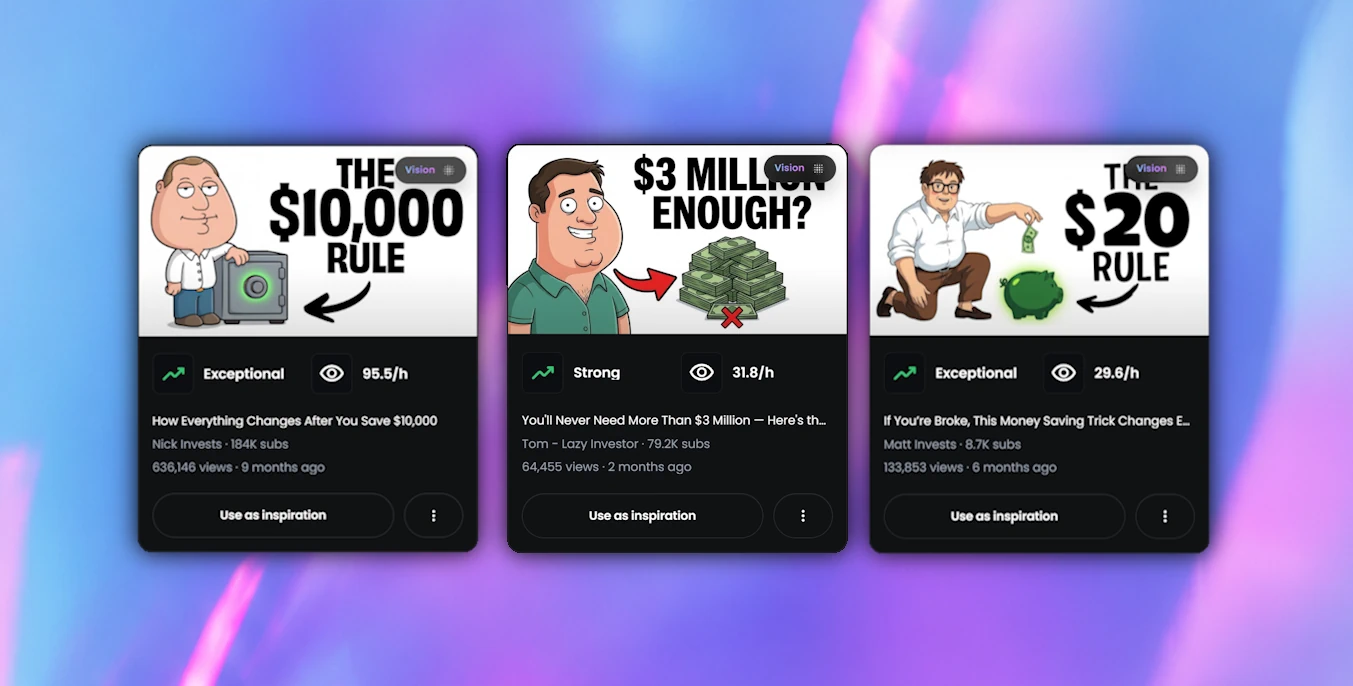
That already gives you a much clearer direction. It does not mean you should copy those thumbnails. Maybe you still decide to go faceless. Maybe you use a brighter background. Maybe you avoid the shocked expression because it does not fit your style.
But now that decision is based on research, not guessing. That is the main value of Pictaar Vision for me: it helps you move from “I need a thumbnail” to “I understand what kind of thumbnail might work for this video.”

Current limitations
Pictaar Vision is already live, but I would still call this an early version. Some thumbnails are hard to classify perfectly. Very small faces, heavy editing, unusual text placement, screenshots, collages, gaming scenes and mixed visual styles can still create edge cases.
The system will keep improving as we see more real searches and more real thumbnails. I would rather be transparent about that than pretend that every classification will be perfect from day one.
Access
Pictaar Vision is now available inside Thumbnail Research for all users, including free users and premium users. You do not need a separate product, a separate plan or a separate setup. Open Thumbnail Research, search your niche, and start using the visual filters.
What comes next
Next, we are working on stability, better classifications and more useful filters. Planned filters include layout and visual style.
Layout filters should help you find thumbnails with central subjects, split-screen comparisons, side-by-side compositions or wide scene-based framing. Style filters should help separate real-life photos, illustrations, 3D renders, gaming visuals and graphic text-based designs.
I am also planning to keep improving the system based on real searches, not just what sounds good in a feature list. The direction is clear: less scrolling, more visual research, and better thumbnail decisions.
Frequently Asked Questions
What is Pictaar Vision?
Pictaar Vision is a visual filtering system inside Thumbnail Research. It helps you find YouTube thumbnails by visual content, including faces, emotions, text, colors and background style.
Is Pictaar Vision free?
Yes. Pictaar Vision is available inside Thumbnail Research for all users, including free users and premium users.
What can I filter with Pictaar Vision?
You can filter by faces, emotions, text amount, text content, colors and background type. You can also combine those filters with performance filters like views, subscribers, video length, outlier performance and view-to-subscriber ratio.
Why combine visual filters with performance filters?
Because a thumbnail looking good is not enough. The useful part is finding thumbnails that match a certain visual pattern and also performed well. That helps you find patterns that are more likely to matter.
What is the best filter to start with?
I would usually start with outlier performance or view-to-subscriber ratio. Then I would use the visual filters to understand what the best-performing thumbnails have in common.
Does Pictaar Vision replace manual thumbnail research?
Not completely. You still need your own judgment. Pictaar Vision just makes it faster to find relevant examples and repeated visual patterns.